 FileYourMail
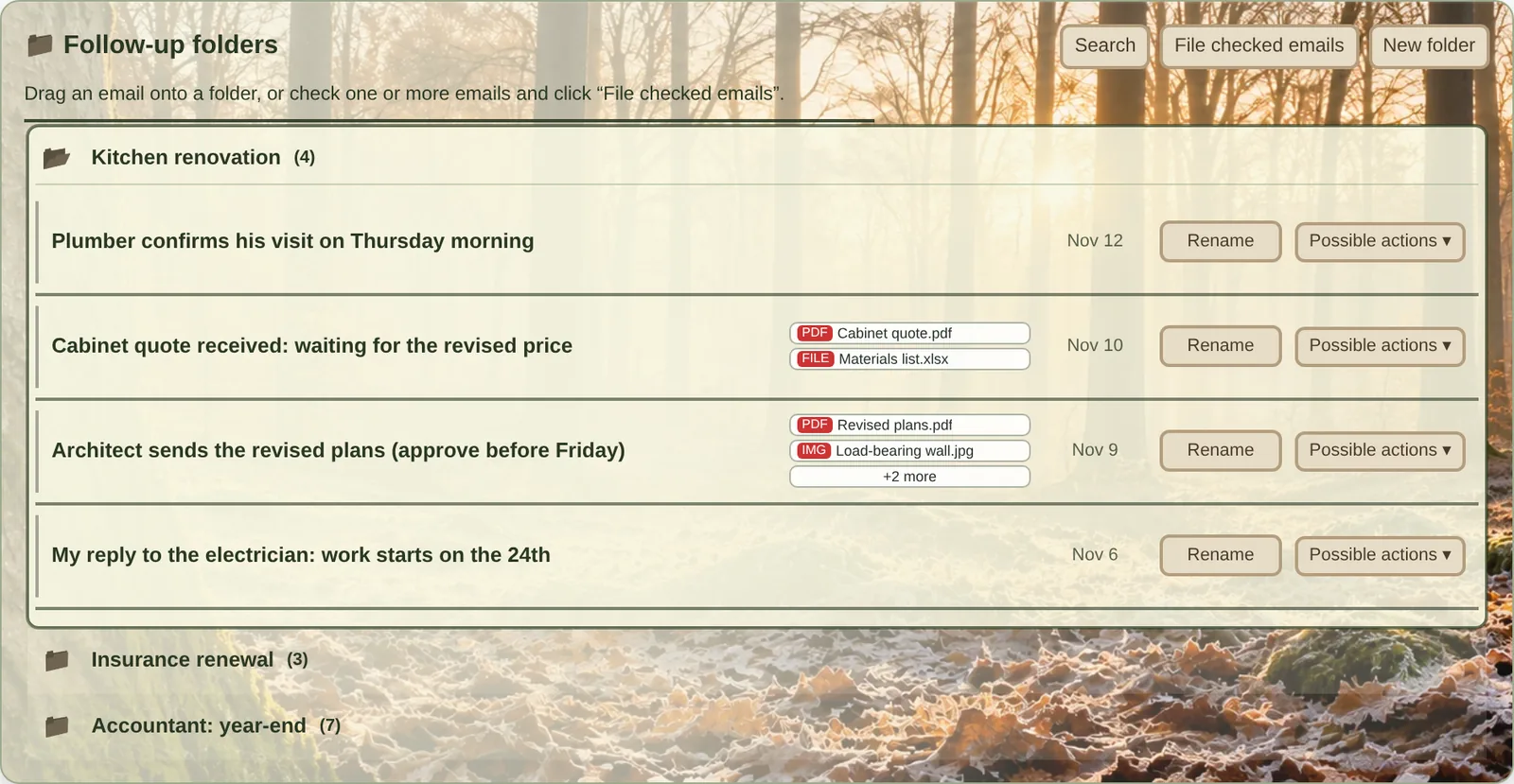
The FileYourMail panel as it appears above the Gmail inbox, shown here with sample data and one of the visual themes.
What FileYourMail does
- Follow-up folders
- Create one folder per matter: a client, a project, a claim. Drag an email onto a folder, or check several and file them together. Each filed email leaves your inbox and stays one click away in its folder. Nothing is deleted: the email is archived in Gmail, where you can still find it.
- Descriptions you choose
- Rename any filed email with a line that says what it is and what you are waiting for. The original subject stays untouched in Gmail.
- Attachments in view
- The names of the attached files appear beside each filed email, and you open them from there. Logos and signature images are set aside so that real documents stand out.
- Send and file in one step
- When you reply, choose a folder before sending. FileYourMail sends your reply through Gmail and files it in that folder, together with the email you answered.
- Back to the inbox when you need it
- Return a filed email to your inbox, move it to another folder, or undo your last action.
- Your folders on every computer
- Your list of folders is saved in a private space of your own Google Drive, so you find the same folders at home and at the office. FileYourMail works with several Gmail accounts, in six languages, with a choice of visual themes.
Why FileYourMail asks for access to your Google account
The first time you use FileYourMail, Google asks you to approve two permissions. Here is what each one is used for, and what it is never used for.
| Permission | What FileYourMail does with it | What it never does |
|---|---|---|
| Gmail: read, compose and send email |
|
|
| Google Drive: the extension’s own configuration data | Saves your list of folders and your settings in a hidden space reserved for FileYourMail, so that they follow you from one computer to another. | See, open or change your own Drive files. This permission gives no access to them. |
Where your data goes
FileYourMail runs inside your browser and talks only to Google, with your own account. There is no FileYourMail server: your emails, your folders and your descriptions never reach us.
We show no advertising, sell no data, and train no artificial intelligence model with your information. The only thing we receive is what you choose to write to us.